
Precision, Flexibility, and Flair: What’s New in Our Latest Update
We know that in the world of project management, the difference between a smooth operation and a bottleneck often comes down to the details. This latest release is all about giving you more control—whether you’re assigning ownership, managing documentation, or fine-tuning the math on a massive order.
Here is a look at what’s landing in Autoquote today.
1. Collaborative Project Ownership
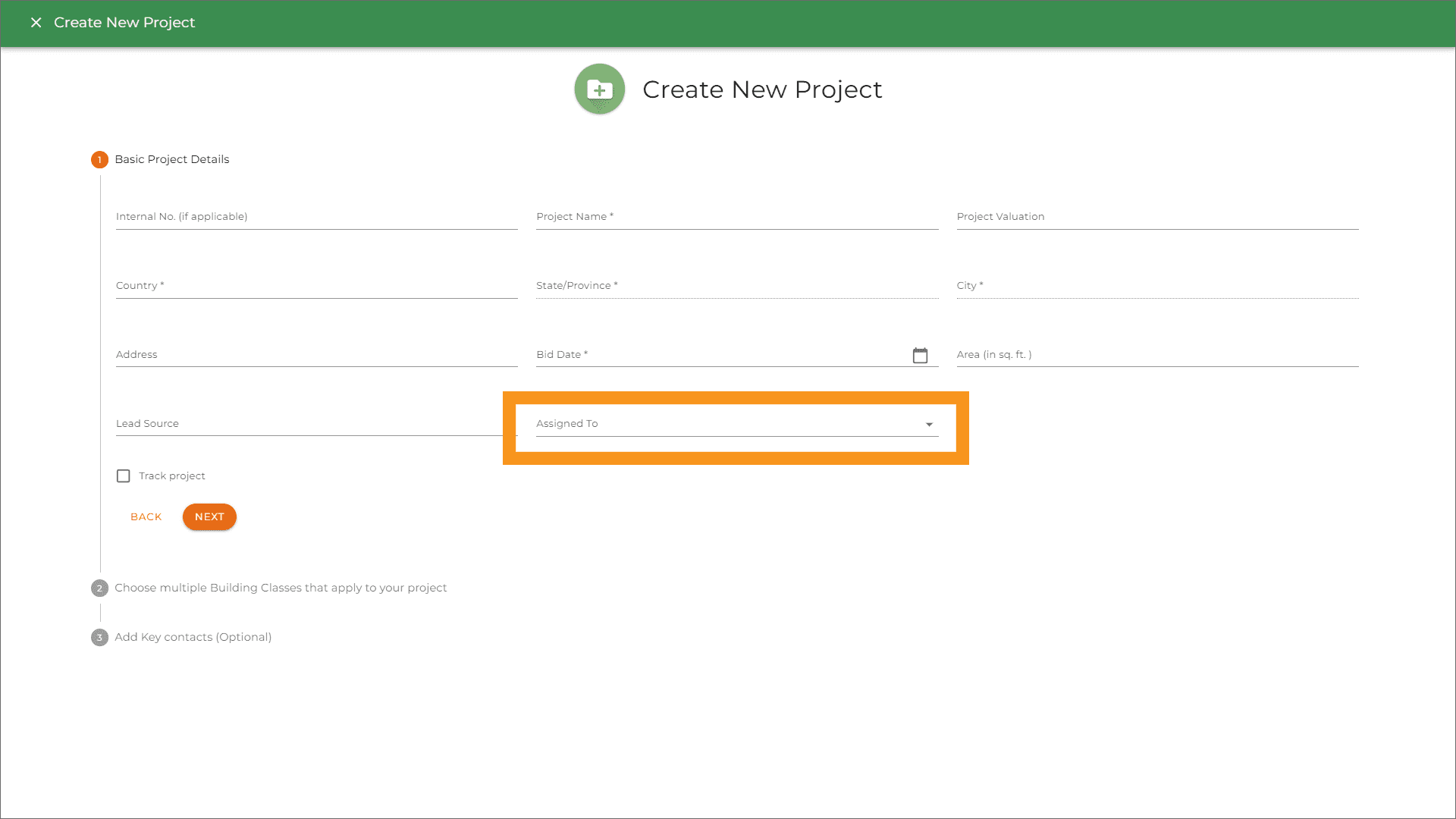
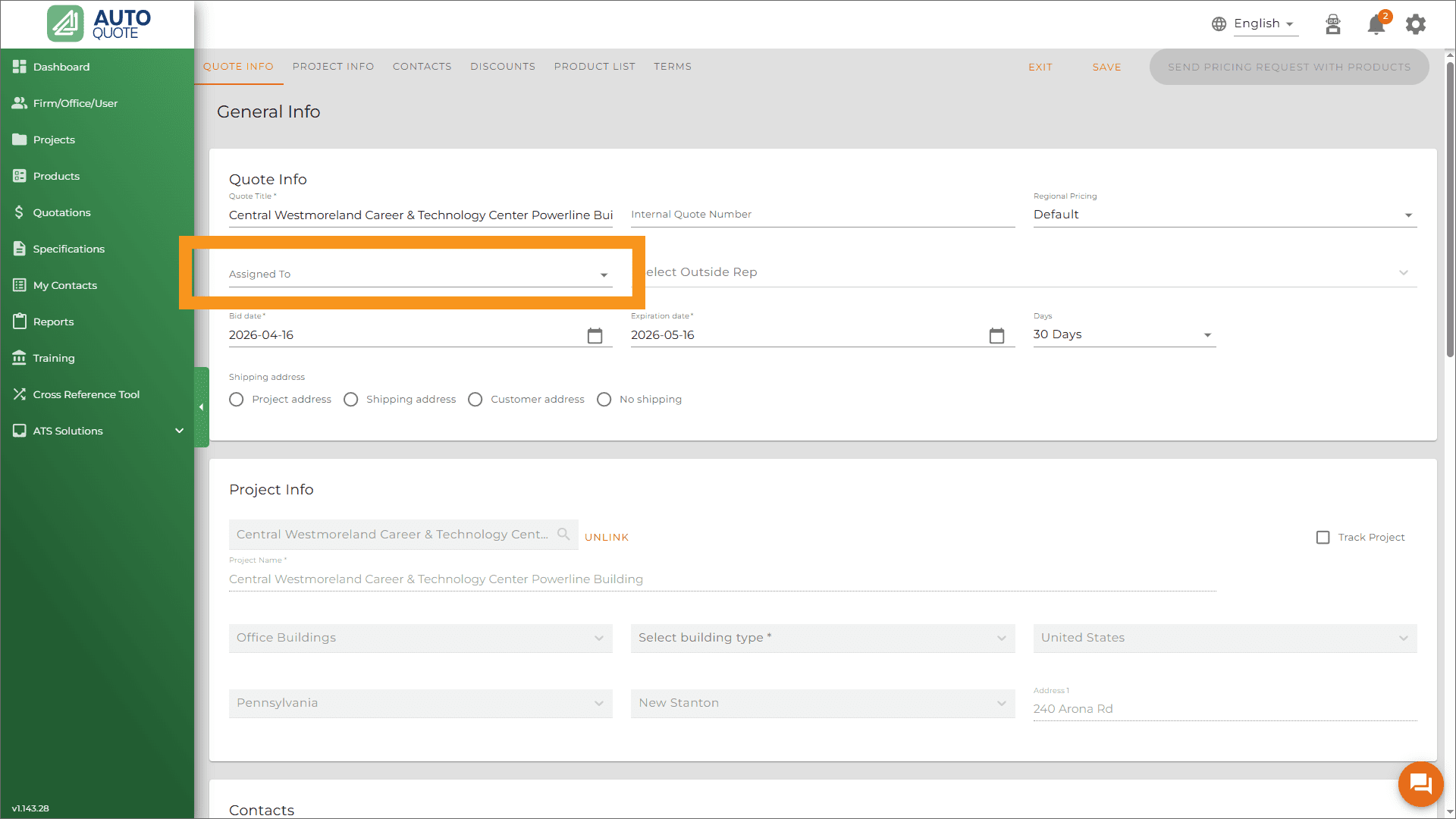
We’ve heard from many organizations where the person who kicks off a project isn’t always the one who sees it through to the finish line. To support this workflow, we’ve introduced the “Assigned To” field for projects and quotes.
Previously, project ownership was often tied to whoever hit the “Create” button. This update officially decouples the Creator from the Owner.
Now, you have the flexibility to designate exactly who is responsible for a project, regardless of who started the file. This ensures that tasks don’t get lost in the shuffle and that everyone knows exactly what is on their plate.
Where to Find It
We’ve integrated this field into two key stages of your workflow:
- Project Creation: Right at the start! When you create a new project folder, you’ll see a new dropdown menu to select the person responsible for the project.
- Inside the Quote: If responsibilities shift mid-stream, you can update the assignment directly within the quote itself.
Visibility Where It Matters
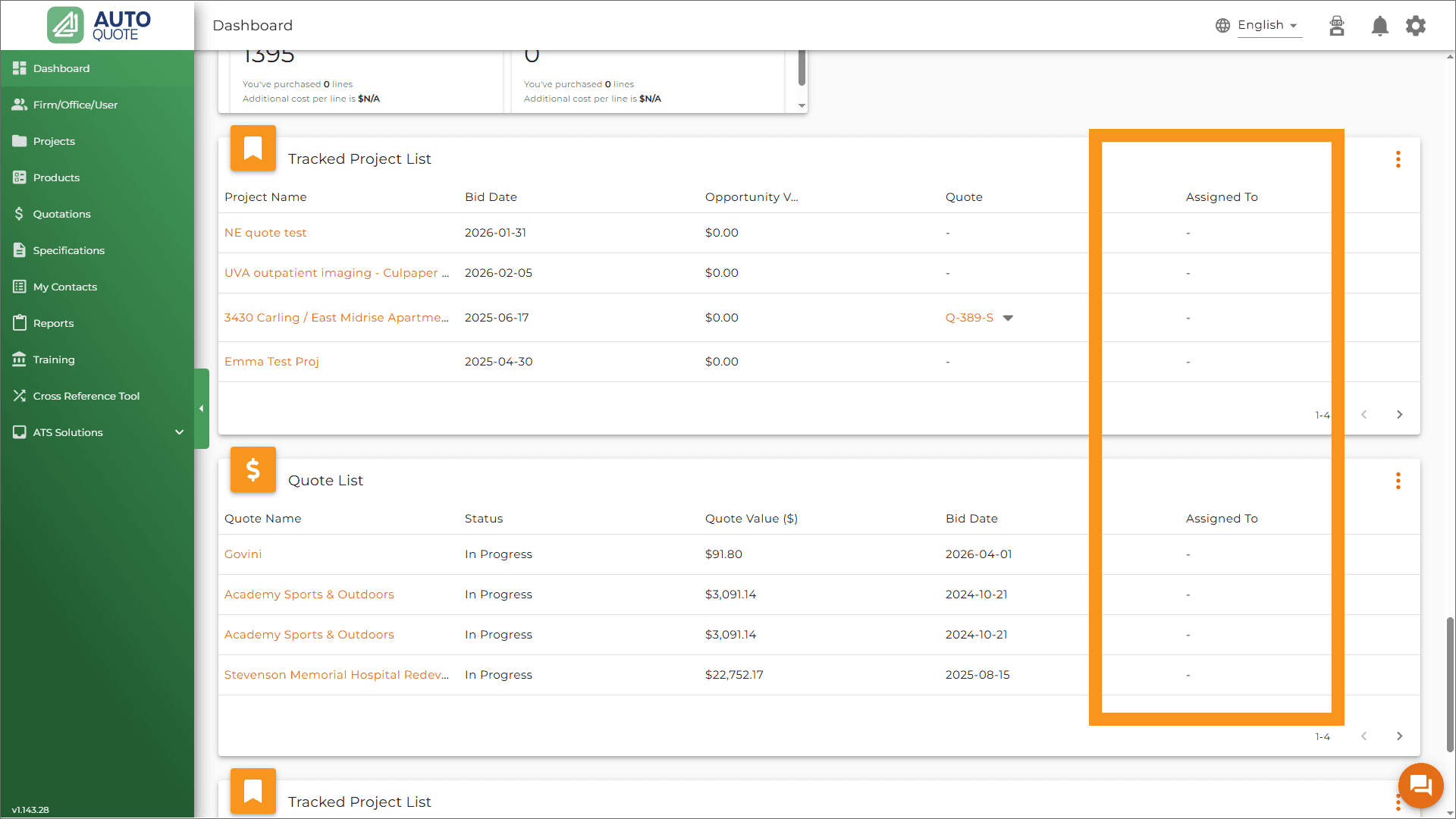
What good is an assignment if you can’t see it? We’ve added the “Assigned To” data to your high-traffic areas so you can monitor your pipeline at a glance:
- The Projects Widget
- The Quotes Widget
A Note on Permissions
To maintain security and clear oversight, the ability to reassign projects is a “managerial” power. Currently, Firm Admins and Office Admins are the only roles with the permissions required to perform these reassignments.
2. Keeping the Momentum: Product Spec Sheets Now Serve as Submittal Substitutes
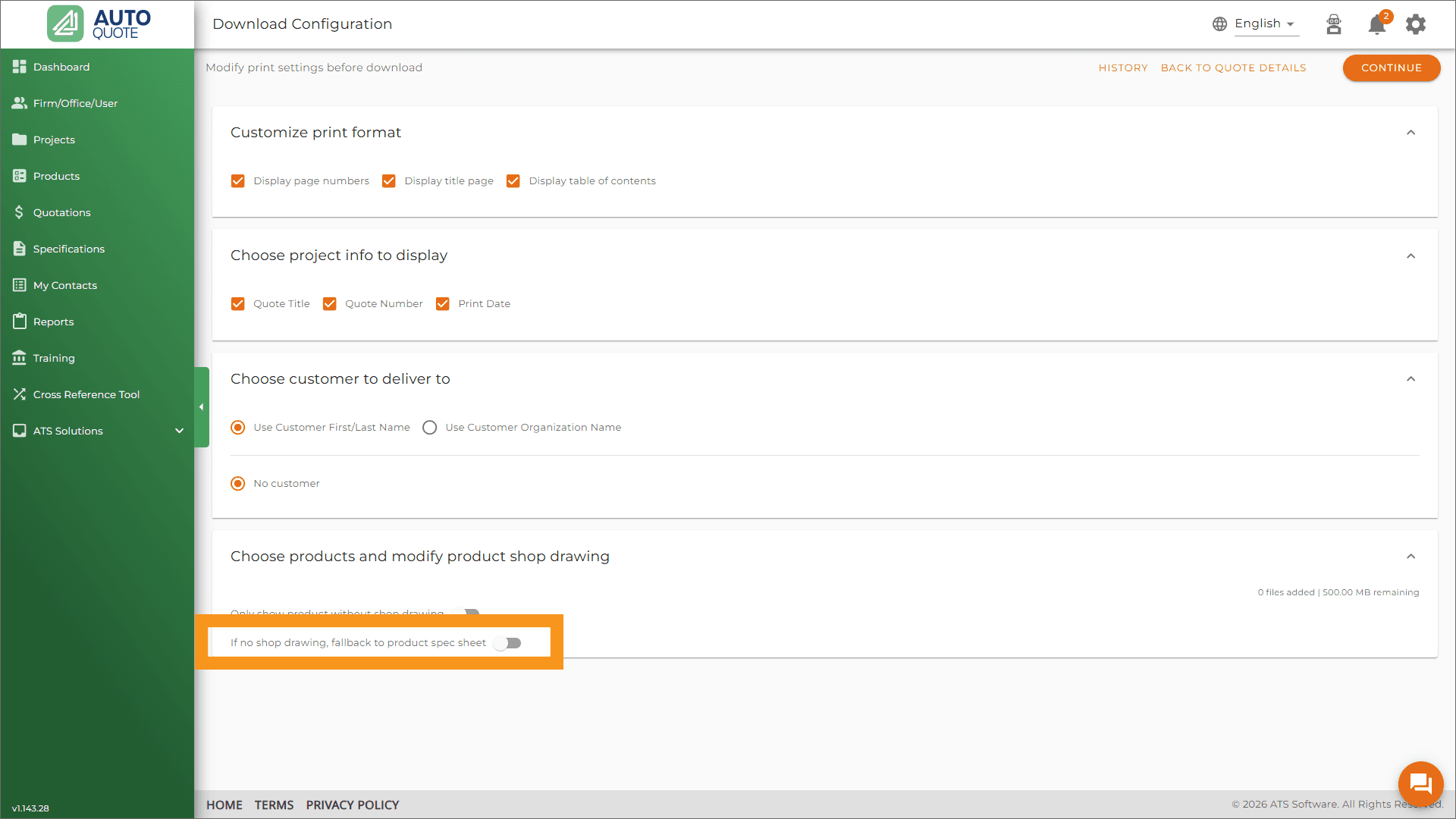
You can now use a Product Specification Sheet as a substitute when a standard submittal isn’t readily available. This allows you to maintain your workflow and generate your complete Shop Drawing package all in one go.
Why This Matters:
- No More Context Switching: You no longer have to navigate in and out of the application to hunt down and upload missing submittals from external sources like Autoquote mid-process.
- Continuous Workflow: Keep your project moving toward approval without the “stop-and-start” frustration of missing documentation.
- Project Continuity: Ensure that your deadlines stay on track by using authorized alternative documentation to fill the gaps.
By allowing Product Spec Sheets to stand in for submittals, we’re giving you the tools to bypass bottlenecks and get your drawings out the door faster.
3. Submittals with a Splash of Color
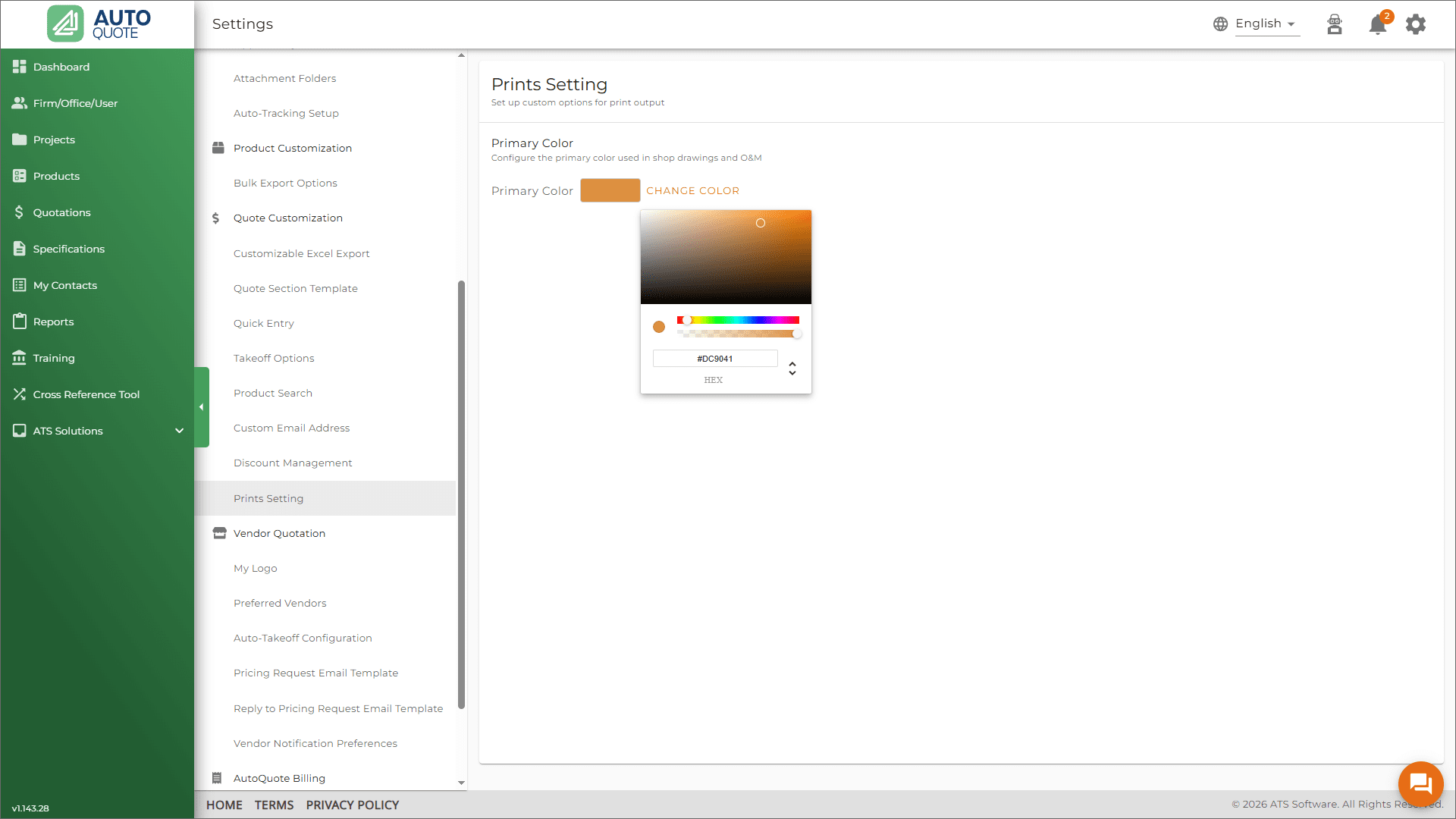
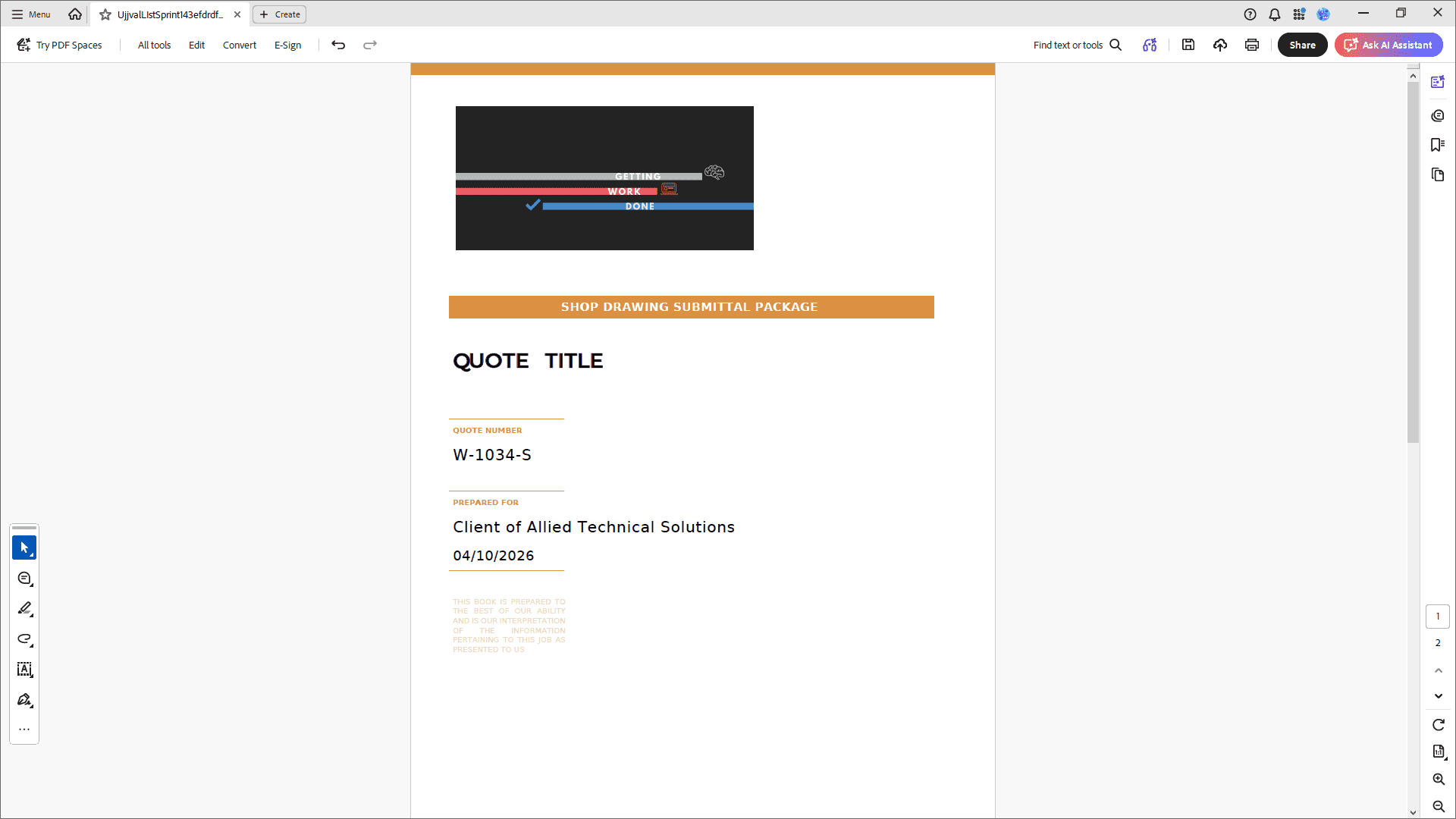
Your brand identity shouldn’t stop at your website. You can now customize your Shop Drawing Submittal Packages with your preferred theme color. It’s a small touch that makes a big impact on how your clients perceive your professional output.
Where to find it: > Navigate to Settings → Quote Customization → Prints Settings to pick your palette.
4. Precision Down to the Penny (and Beyond)
When you’re dealing with high-volume orders, a fraction of a cent can scale into a significant figure. We’ve upgraded our quoting engine to give you “to-the-penny” (and then some) accuracy.
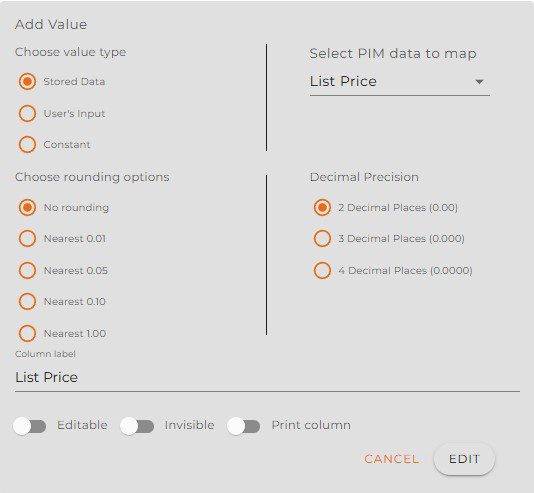
Within your Quote Template, you can now configure:
- Decimal Precision: Choose between 2, 3, or 4 decimal places.
- Rounding Preferences: Set your totals to round to the nearest 0.01, 0.05, 0.10, or to the nearest dollar.
This ensures that your bids are as competitive as possible and your accounting remains airtight.
Please feel free to contact your Customer Success Representative if you have any questions or would like to take advantage of this feature.
Ready to dive in? Log in now to explore these new features, or reach out to our support team if you have questions about setting up your new rounding preferences or admin permissions!