✨ More Flexible Applying Discounts & Streamlined Document Management
At ATS, we’re focused on one goal: helping you get accurate bids out the door faster. This update tackles two of the challenges in your everyday work, complex product discount management and uploaded document management.
1. Manufacturer Discount is Here!
Applying the right margins shouldn’t require a calculator and a spreadsheet. We’ve introduced a powerful new Manufacturer Discount tier to sit alongside your existing Customer Discounts.
- Granular Control: Define discounts by Manufacturer, Product Category, or Region.
- Conflict Resolution: You decide the priority. Choose whether the system defaults to the Manufacturer Discount or a Customer Discount first.
- The Result: Automatic, error-free pricing that ensures your margins are protected on every line item.
How to set it up:
- Click on the Settings (Gear Icon ⚙️) > Quote Customizations.
- Select Discount Management and navigate to the Manufacturer Discount tab.
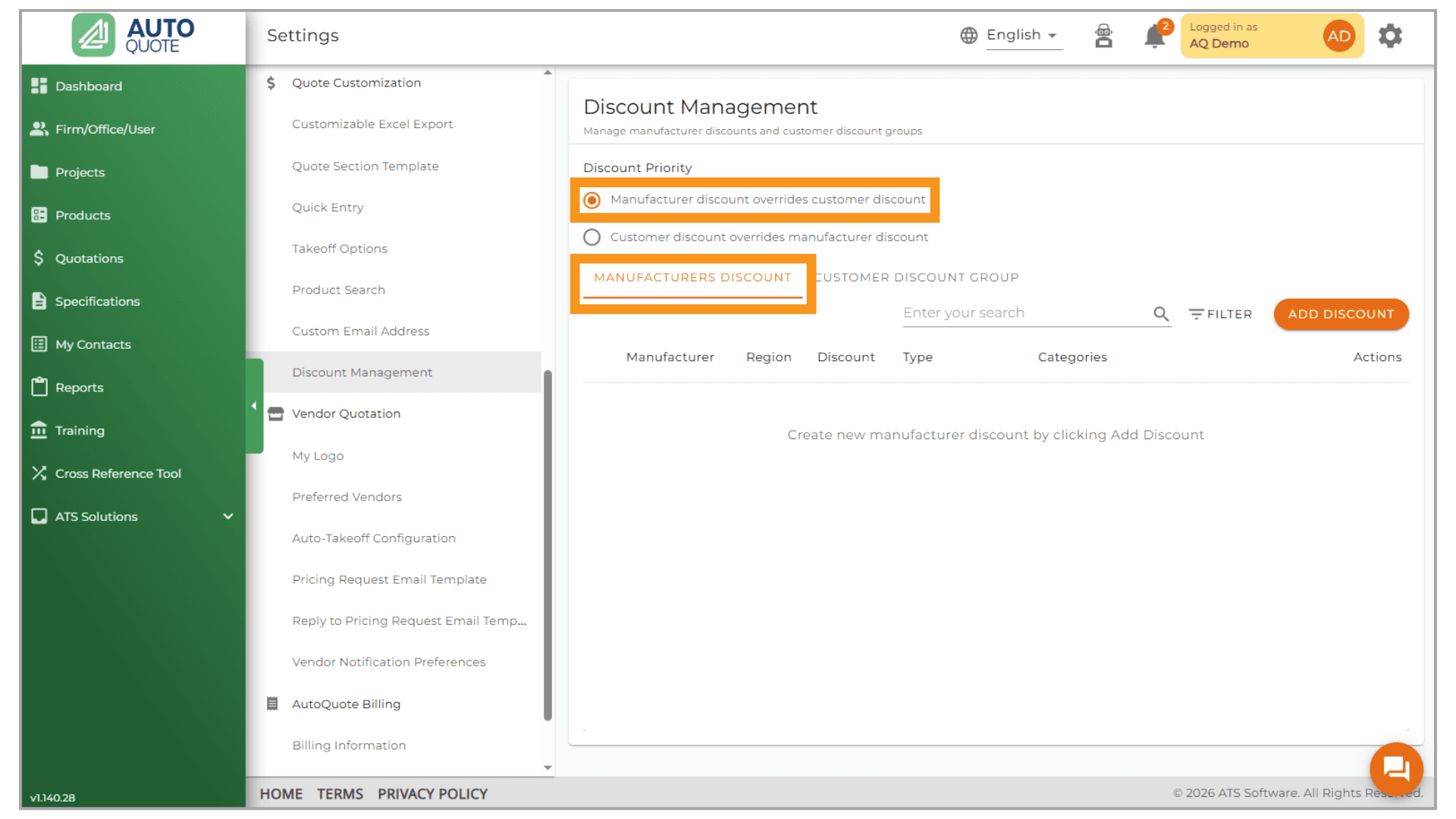
- Now click on the
 button.

Search for the manufacturer , if you have regions set up in AutoQuote select the specific region if not select default.
From there add margin, multiplier and any categories where they should be applied. Once completed click save.
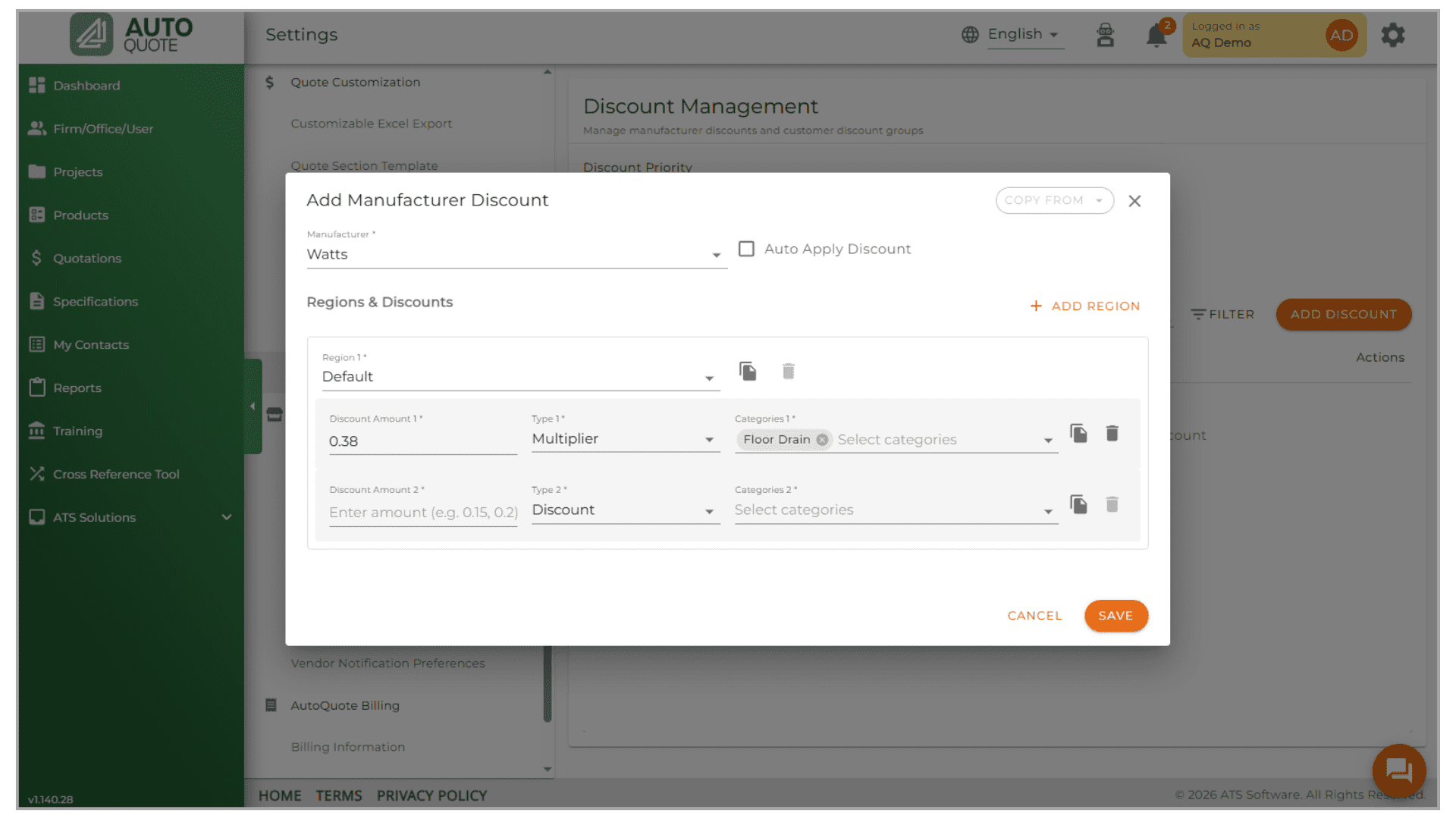
How it works
Now that it’s set up, any time an item from that manufacturer is added to the quote the multiplier or margin set up will be automatically added. If the default was selected as “customer discount override manufacturer discount” and a customer card is added then the discount from the customer card will replace what was in the quote.
Please be aware that only either customer discount or manufacturer discount works at a time, not both.
2. Improved workflow for uploading documents for more efficient file management and focused AI takeoffs
As project complexity increases, users are uploading a wider variety of files, including construction drawings, emails, and quotes. To streamline your workflow and make finding critical project documents easier, we’ve updated the upload process to distinguish between “Actionable Data” (for AI takeoff) and general “Project Noise.”
Key Changes:
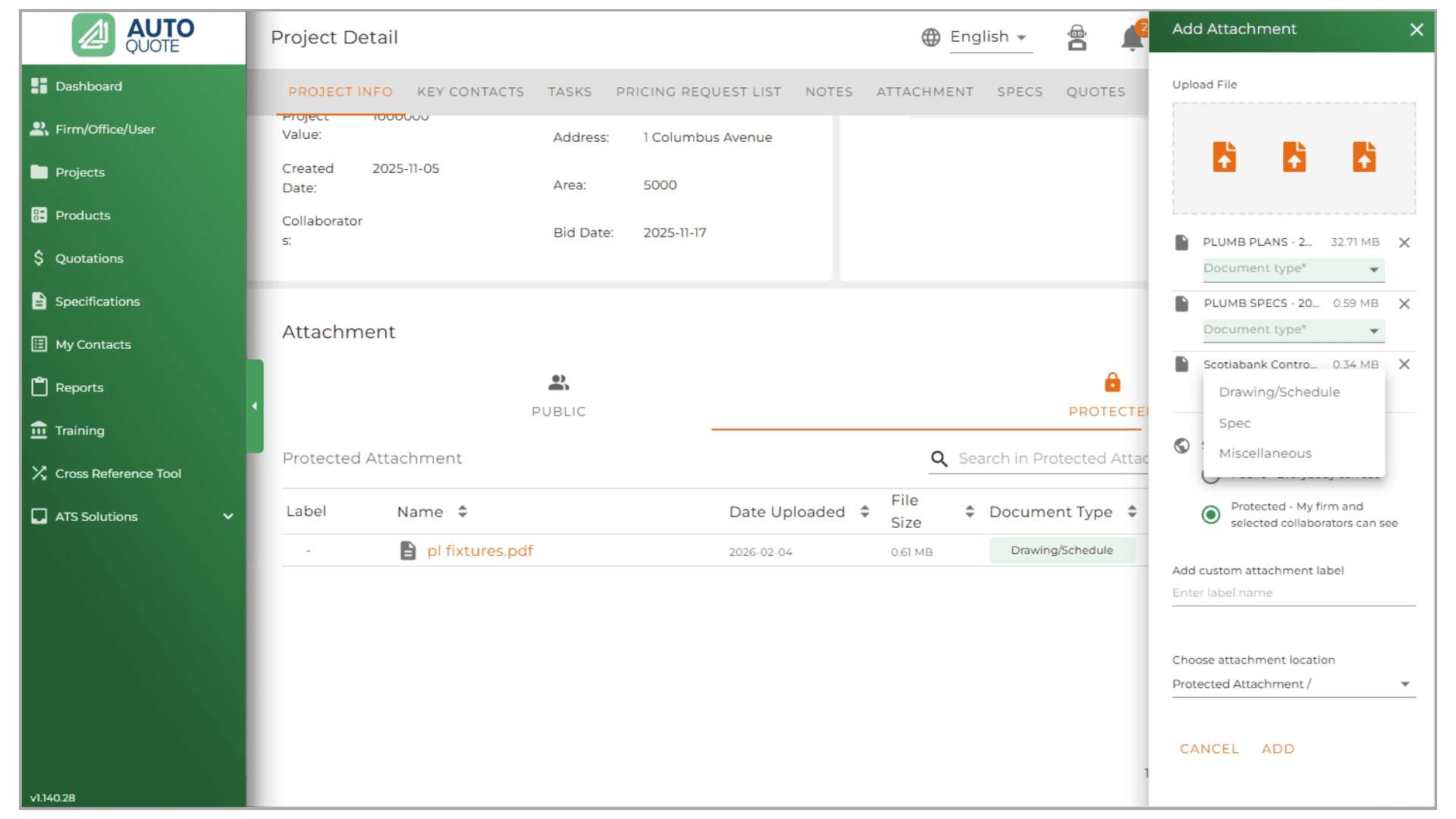
- Mandatory Document Tagging: Upon upload, you must now select a specific Document Type (e.g., Drawing, Specification, Email, or Quote).
- Cleaner AI Takeoffs: The AI Takeoff tool will now only display and use Drawings and Specifications. This eliminates the need to scroll through emails or non-essential files to find your blueprints, saving you valuable time.
- Enhanced Organization: You can keep all project-related files in one location without cluttering or slowing down your essential technical workflows.
If you have any questions, please reach out to your Customer Success Representative.