
✨ New Year, More Improvements
At ATS we are committed to better user experience, from productivity, team collaboration, easy to use, to nice to have. In this release, you’ll find frequently requested features that enable efficiency.
Let’s dive into the powerful new features launching today!
1. Download Configuration: saving the customizations based on your last quote.
No more repetitive clicks to keep the consistent format of your quote. Now the Download configuration saves the last configuration for each individual user. That means you don’t have to remember to check off the shipping address, or tick the Creator to display your name and email for each quote.
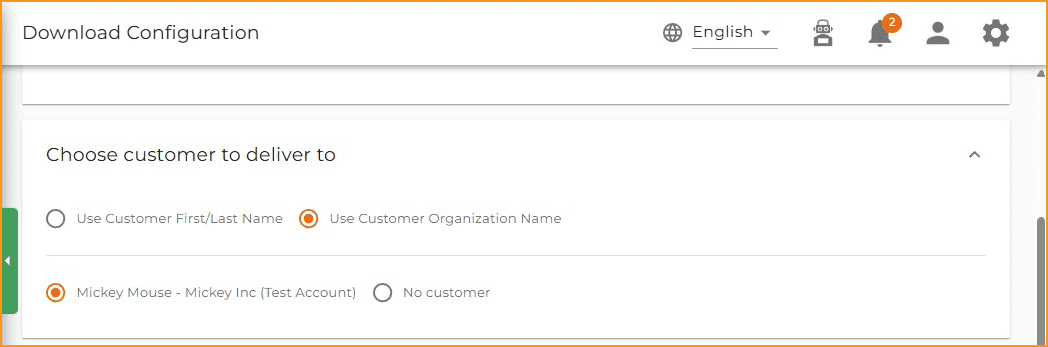
Also you can choose how you want to display your customer information on the quote, either only the organization or an individual’s name when printing the submittals.
2. Bulk Edit work flow is more user friendly
We are looking to improve every small detail, cut down the number of clicks that might impact your productivity. Currently, when you bulk edit selected products on quote edit page, after completing bulk actions, the products remain checked. Not anymore, with this release, the selected products will become unchecked after the edit.
If you perform a bulk deleting, if the products include a section, which will be empty after the deleting, the section will be removed from the quote as well.
3. Auto-update pricing will update new media files as well
If there are any new media files, such as show drawings, spec sheets, product images are added to the product after it is added to the quote, the auto-update pricing will now detect it and update for you in one shot.
4. We listen and act, organization name instead of contact person’s name on the Quotations page
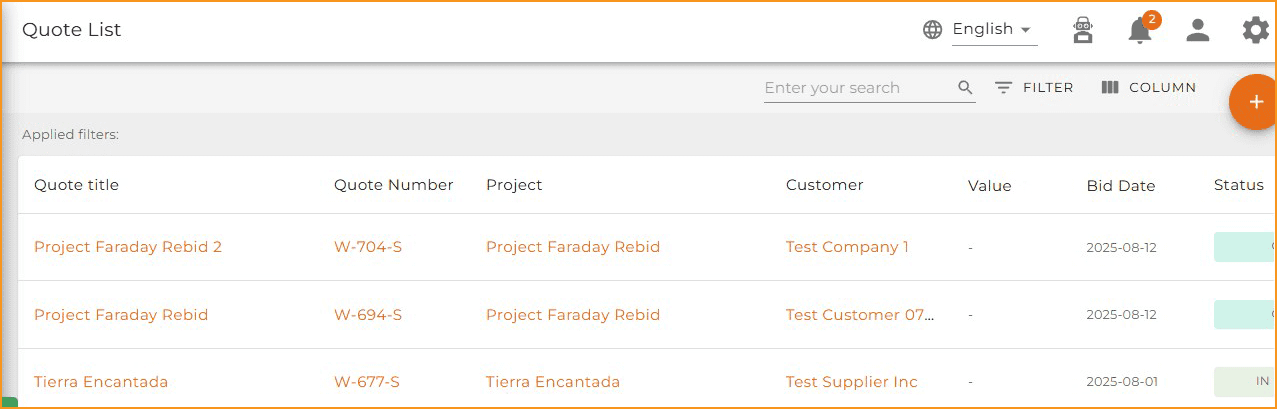
On the Quotations page, the Customer column on the quote list page now shows the organization name if it’s available instead of a contact’s First and Last name.
5. It’s here, the product price currency default to the firm region
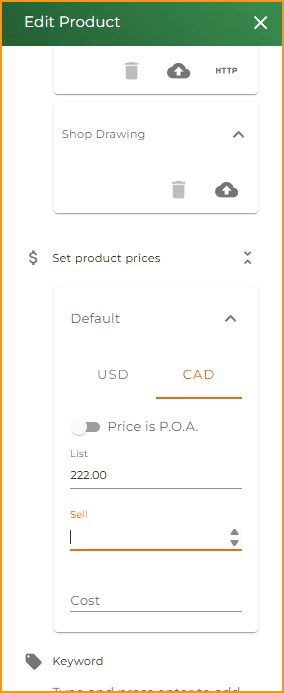
Many Canadian users had the moment of scratching heads, how come the price I just added to the product is not showing? Oh, because the default currency is set to USD! This will not happen again. Now the default product currency will be set according to the firm address, so you don’t have to worry about adding the prices in the wrong places.
If you have any questions, please reach out to your Customer Success Representative.