Direct Communication, Zero Friction: Send Quotes via Email Right from AutoQuote
Streamline your workflow and close deals faster! You can now compose and send quotes directly to your customers via email without ever leaving AutoQuote. Eliminate the hassle of downloading PDFs, opening external email apps, and re-uploading attachments—everything you need is now built into a single, seamless process.
How it works:
1. Initiate in One Click: Click the Email button on your quote to open the new Quote Print Configuration window.

2. Select Recipients & Attachments: Choose your customer on the left side of the screen and decide whether to send the quote standalone or with submittals.
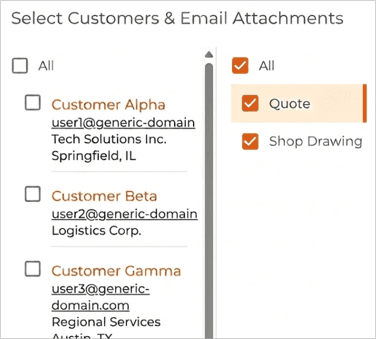
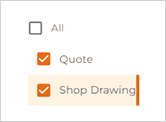
3. Configure Your Outputs: Toggle between Quote or Shop Drawing to customize the output settings on the right-hand panel, or check the box to include Quote and/or Shop Drawing attachments in the email.
The Quote and Shop Drawings can be configured by selecting Quote or Shop Drawing. The configuration screen on the right will change accordingly.
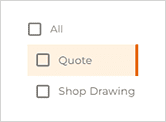 OR
OR 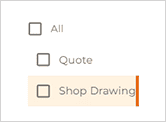
Select the checkbox to choose to include the Quote and/or Shop Drawing attachment in the email.
Now configure your quote as you normally would:
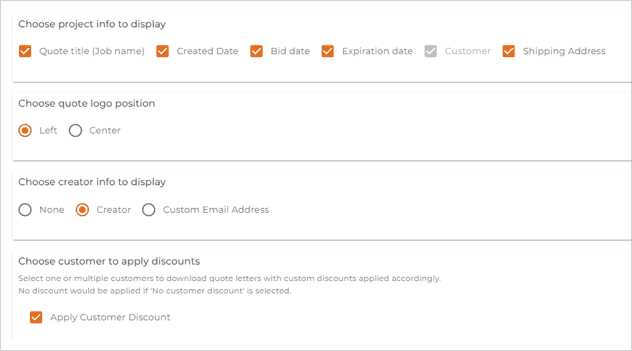
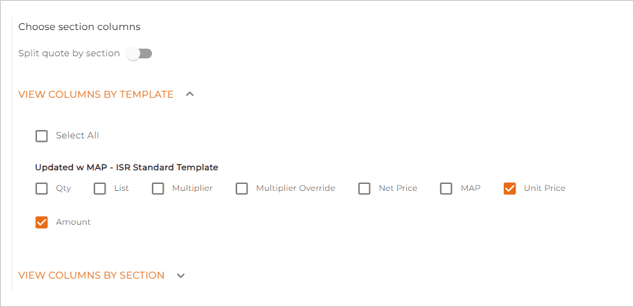
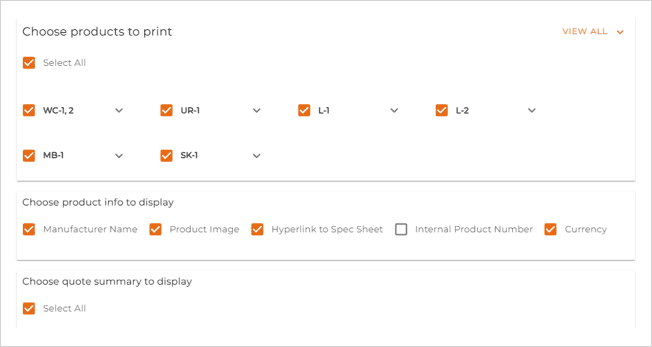
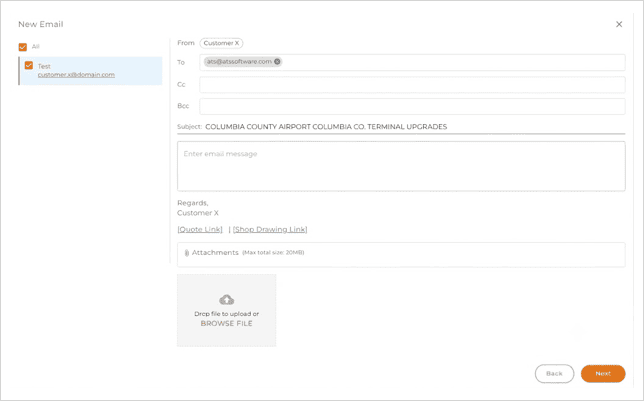
4. Compose & Preview: Write your email as usual and review your attached shop drawings and quote files via the preview links right below the email body.
📌 Note: Email signatures are coming soon in an upcoming update!
📬 Ready to get started?
Please reach out to your Customer Success Representative to set up the email integration for your organization!