
Boost Productivity with Seamless Quote Management: Introducing Autosave & Streamlined Configuration
1. Safe, Sound, and Seamless: Automatic Quote Saving is Here!
Focus on your pricing strategy without the stress! The Quote Edit interface now features an intelligent autosave, preserving your progress in real-time. Whether it’s an unexpected browser crash, accidental navigation, or a network drop, your hard work is protected. The system now works tirelessly in the background so you can focus on winning deals.
How it works:
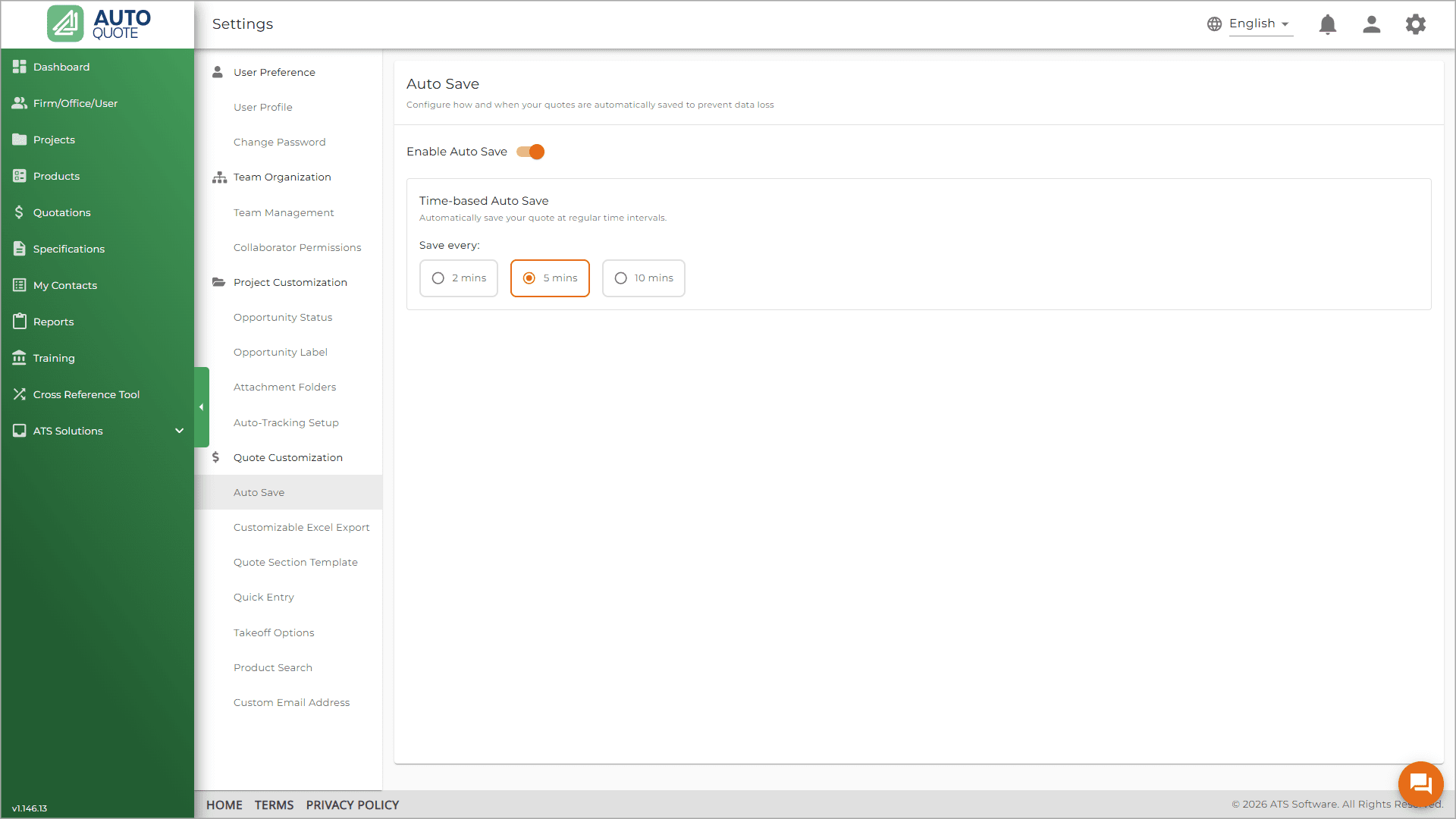
A global default is turned on in Settings for all users. There are three interval options to choose from, with the default set to 5 minutes.
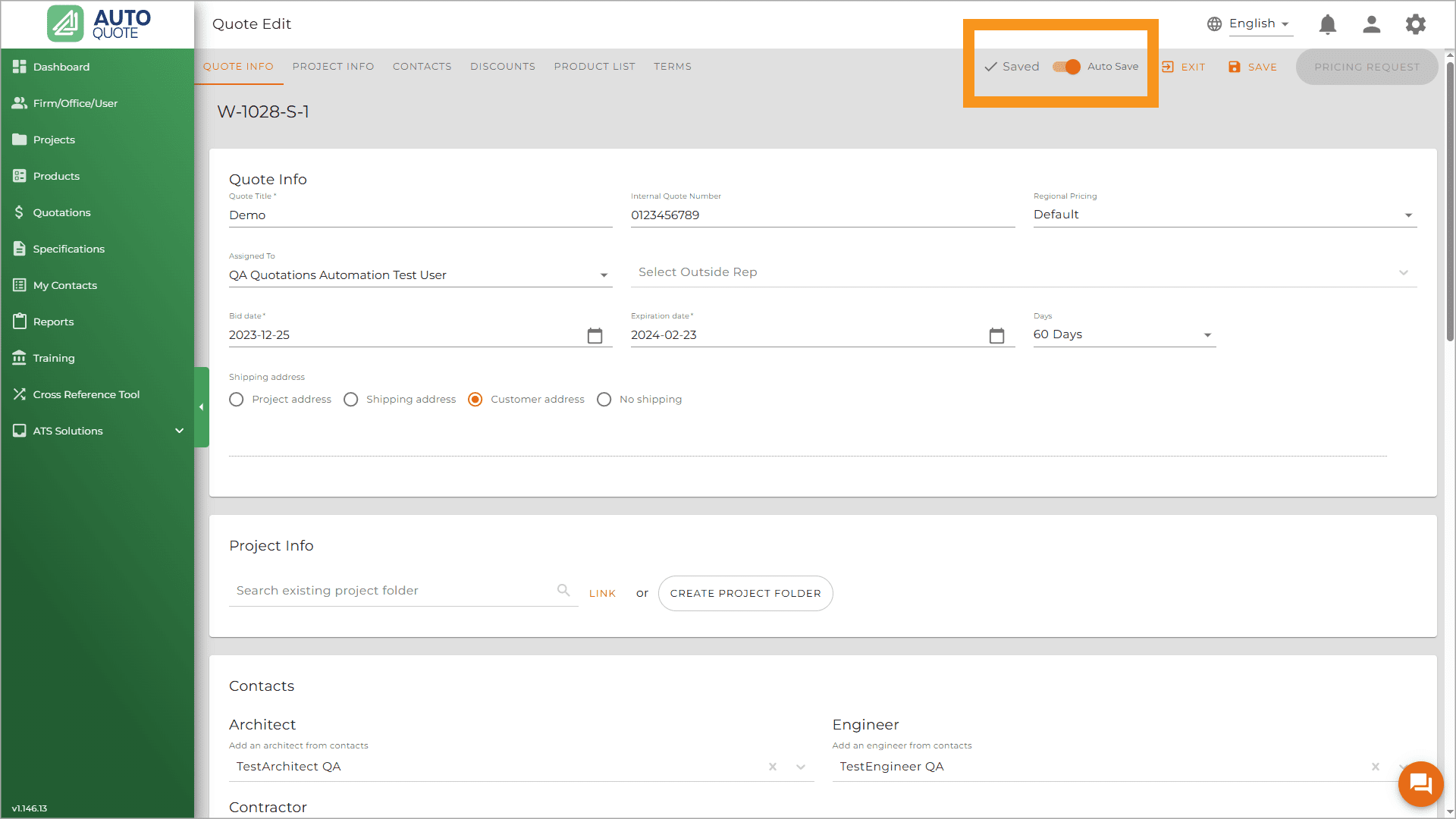
If you need to toggle the auto-save off for a specific draft, simply use the new “Auto Save” switch located right next to the Saved indicator on the Quote Edit page.
2. Clarity by Design: Streamlined Quote Downloads
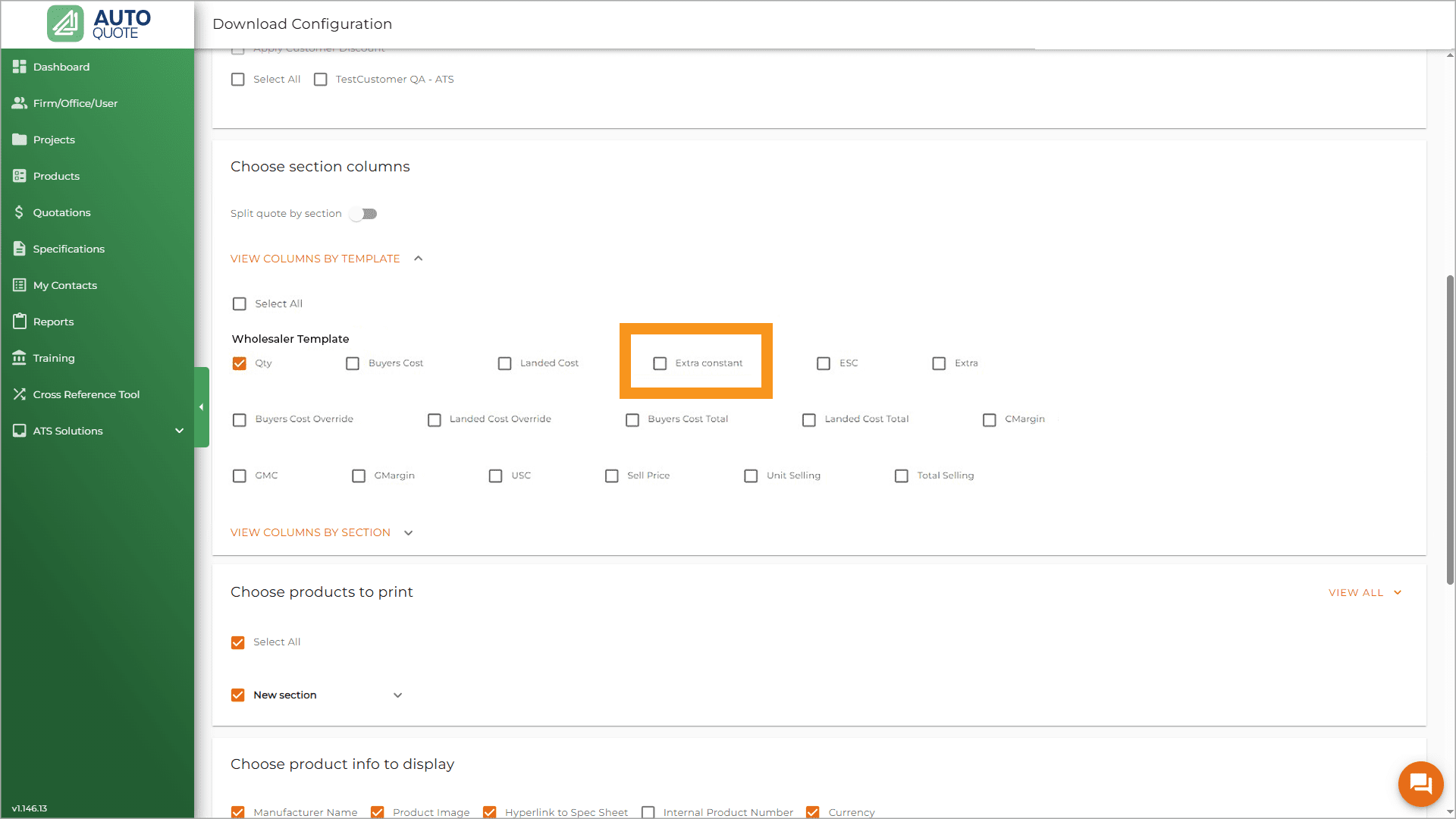
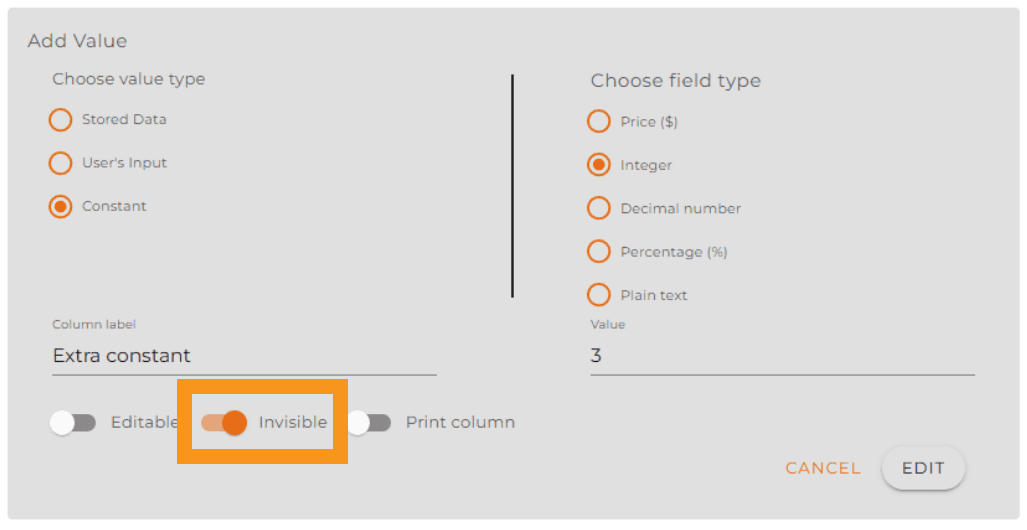
We’ve eliminated the clutter! To improve your workflow, hidden calculation columns in quote template will no longer appear on the quote download configuration page. This update ensures that what you see on your template is exactly what you manage during download—no more confusion, just pure efficiency.
3. Better Governance: Enhanced Project Attachment Control
Be consistent with your organization’s structure! We’ve empowered firm and office admins with exclusive control over project folder templates. This high-level oversight eliminates accidental edits and guarantees consistency across every single project.
Ready to dive in? Log in now to explore these new features, or reach out to our support team if you have questions about setting up your new rounding preferences or admin permissions!