Level Up Your Workflow: Announcing New Features Designed for Efficiency
We’re thrilled to announce a major update to our application, bringing powerful new features that streamline your project management, enhance contact organization, and provide greater flexibility in pricing. These updates are a direct result of your valuable feedback, focused on making your daily workflow smoother and more efficient.
Here’s a look at what’s new:
1. Introducing AI-Powered Project Folder Creation
Say goodbye to manually creating projects! Our new AI feature instantly analyzes your documents and automatically sets up project folders.
- Intelligent Organization: Simply upload your construction documents, and our AI will automatically create and structure the necessary project folders for you.
- Time-Saving Automation: This automation drastically reduces the time spent on initial project setup, allowing your team to focus on what matters most: your projects.
How to Use AI-Powered Project Folder Creation
Getting started is simple:
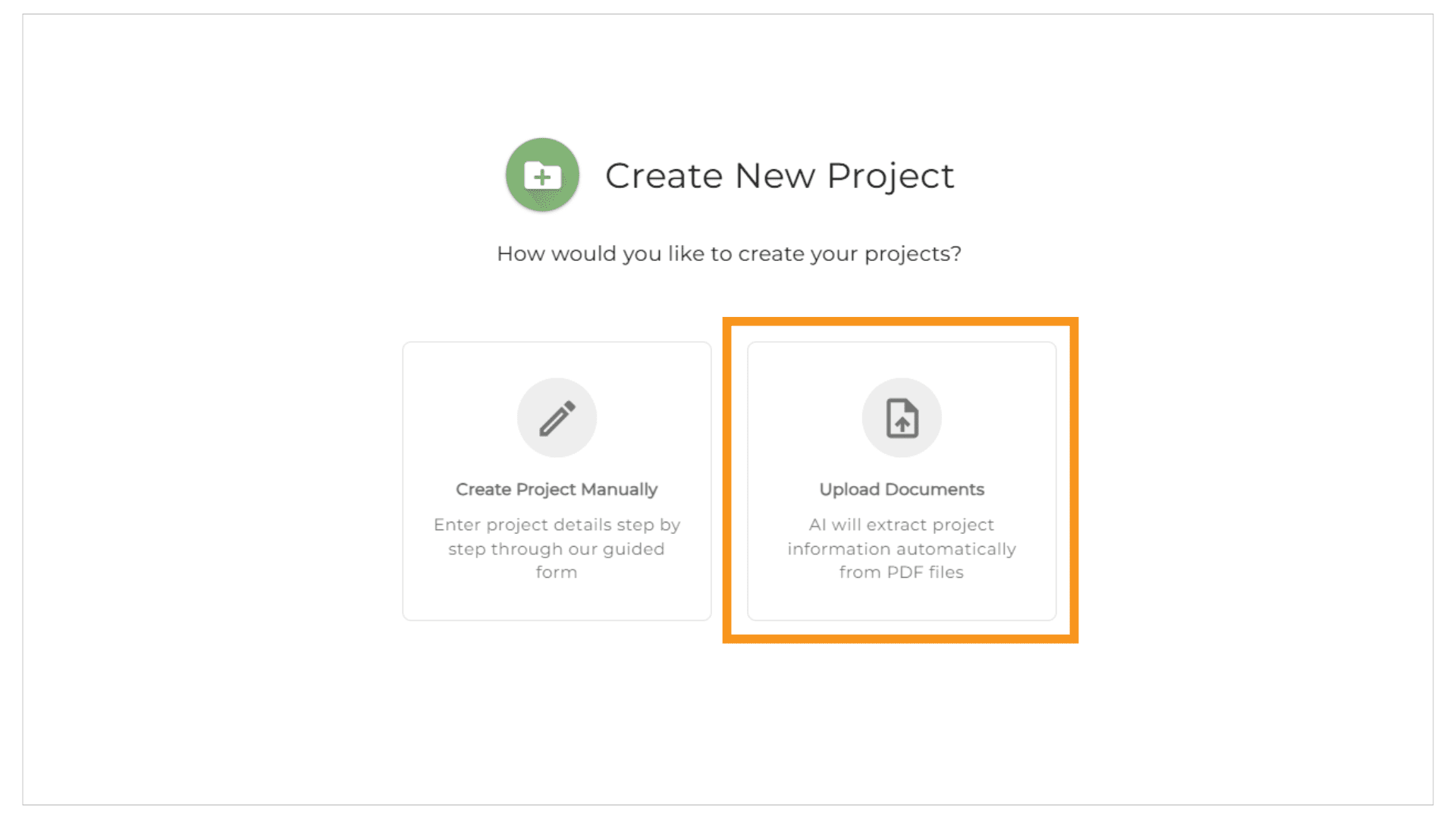
1. Navigate: Navigate to the Projects tab or use create new project on your dashboard, and select the new Upload Documents button. If you don’t want to use AI click “Create Project Manually.”
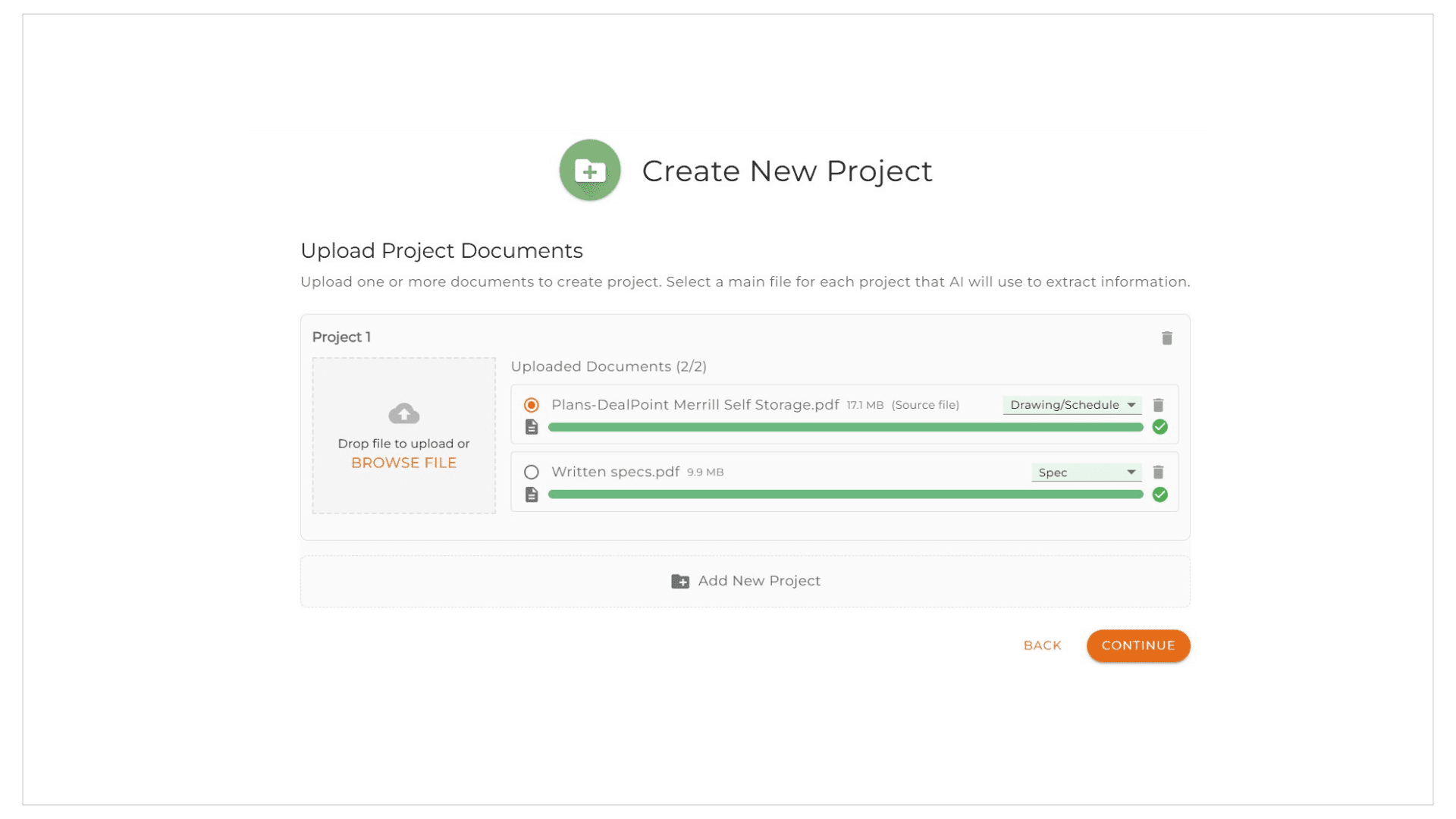
2. Upload Project Documents: This can be used to create a single project folder or multiple project folders at the same time by clicking on the “Add New Project” at the bottom. Upload all the documents you have for your project, if you are uploading more than one use the radio button next to the file name to pick which document AI should read to build the project folder then click Continue.
3. Process: The AI engine will analyze the content, identify critical project components, and automatically structure a complete set of folders for you. Its important to note depending on the document you upload the details AI will be able to extract will be different.
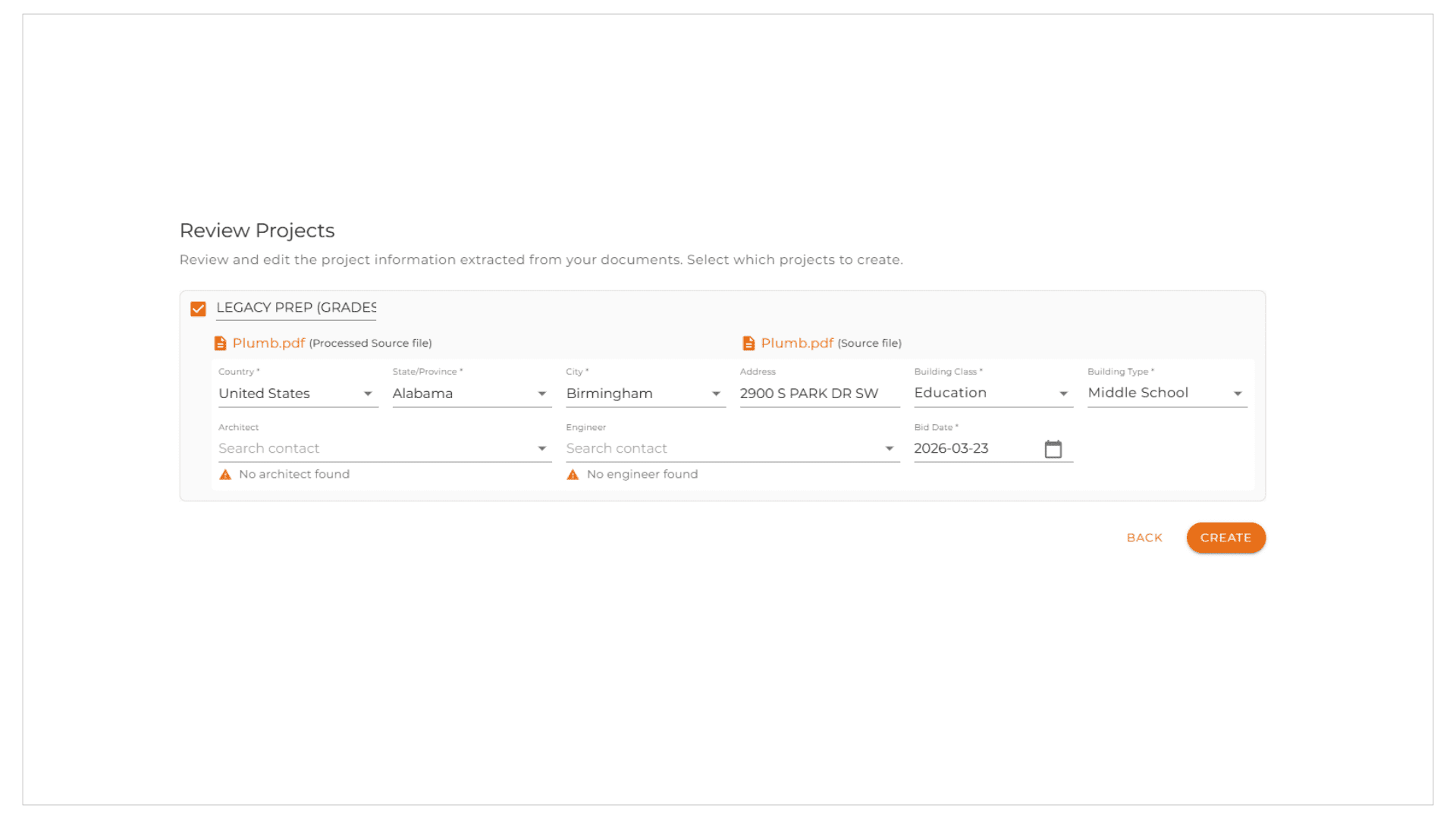
4. Review & Confirm: A preview of the proposed folder structure will appear. Review it, make any minor adjustments if necessary. Should you have a list of engineers and architects as contacts AutoQuote will attempt to match to your list of contacts. Once any necessary modifications are completed click Create to finalize the project setup.
Completed Project Folder Updates:
When a project folder is created, all original documents uploaded are automatically added in the attachments section. Additionally, an AI-generated document named “Project Info” will also appear in the attachments. This file contains the project information extracted and processed by the AI. You have the option to delete the “Project Info” file if it is not needed.
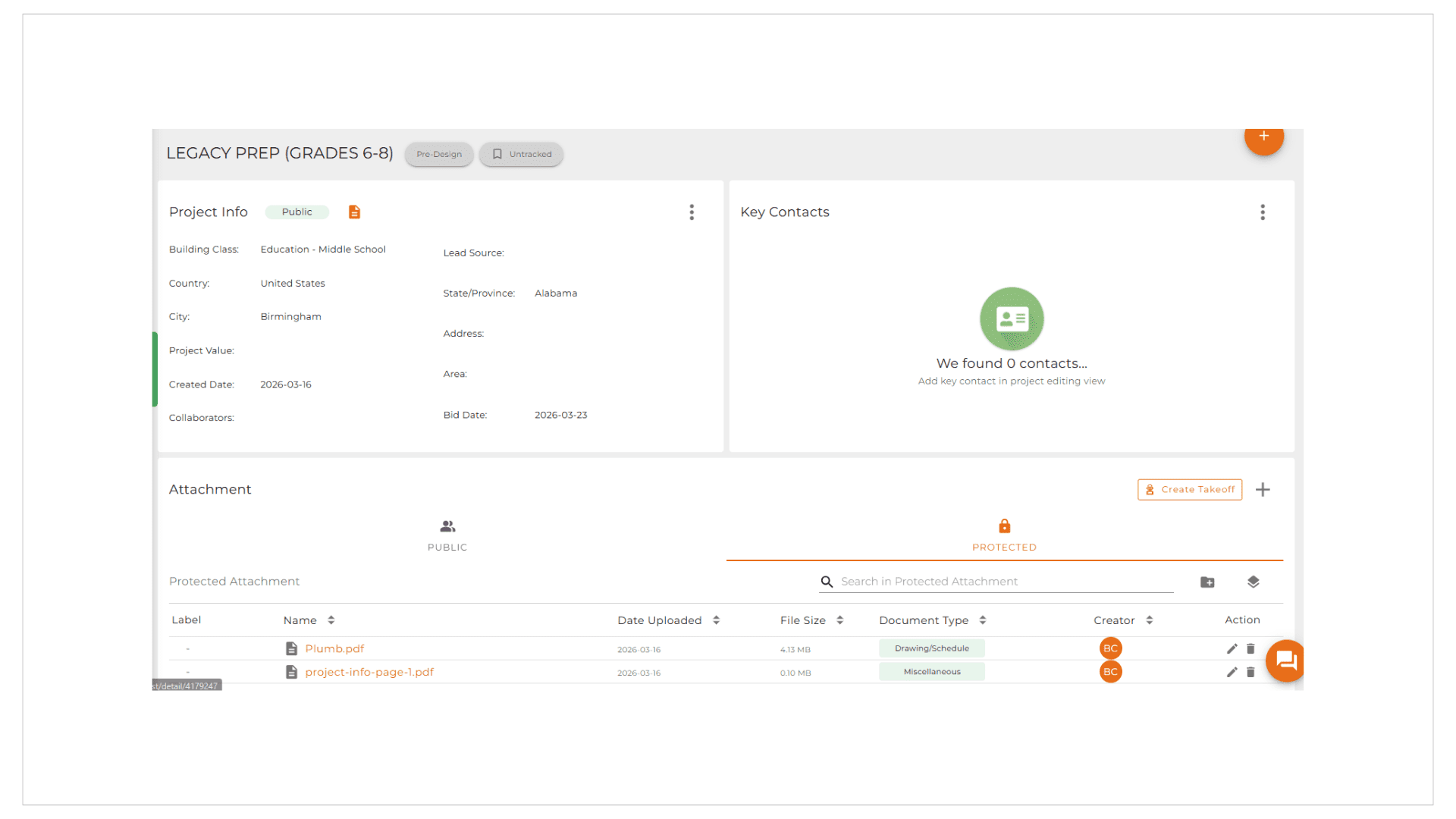
2. Key Contact Management Enhancements
We’ve made important updates to the Key Contacts section to ensure you can quickly and accurately track all essential project players.
- New ‘Contractor’ Role: We have added Contractor to the list of key contacts, making it easy to assign and track this critical role from the start of your project.
- Contractor added to the Quote: The contractor name will now also appear in the quote if added to the project folder or quote.
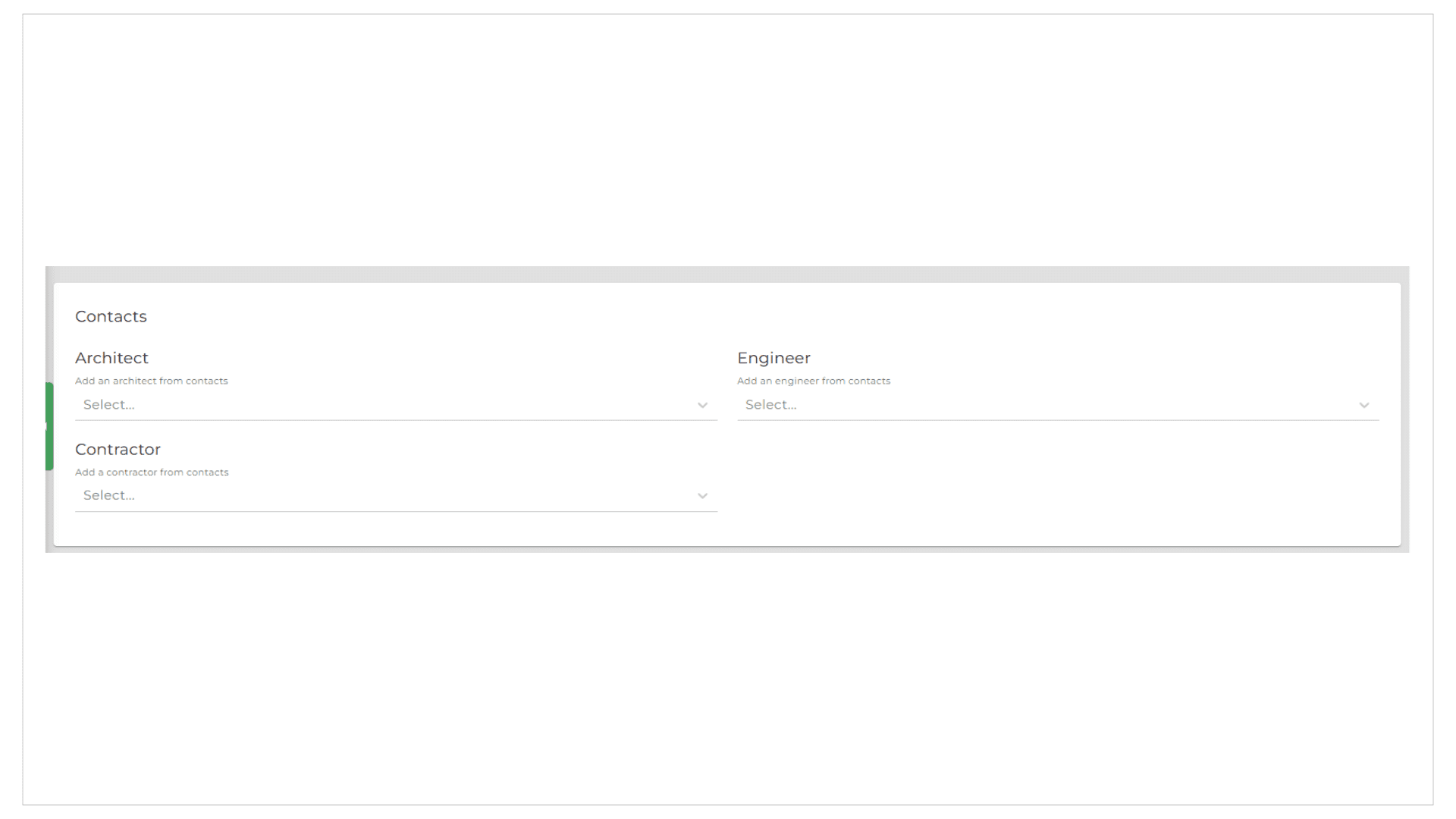
- Simplified Customer Identification: The generic “–” placeholder in the key contact drop-down menu has been updated to the clearer, more intuitive Customer label.
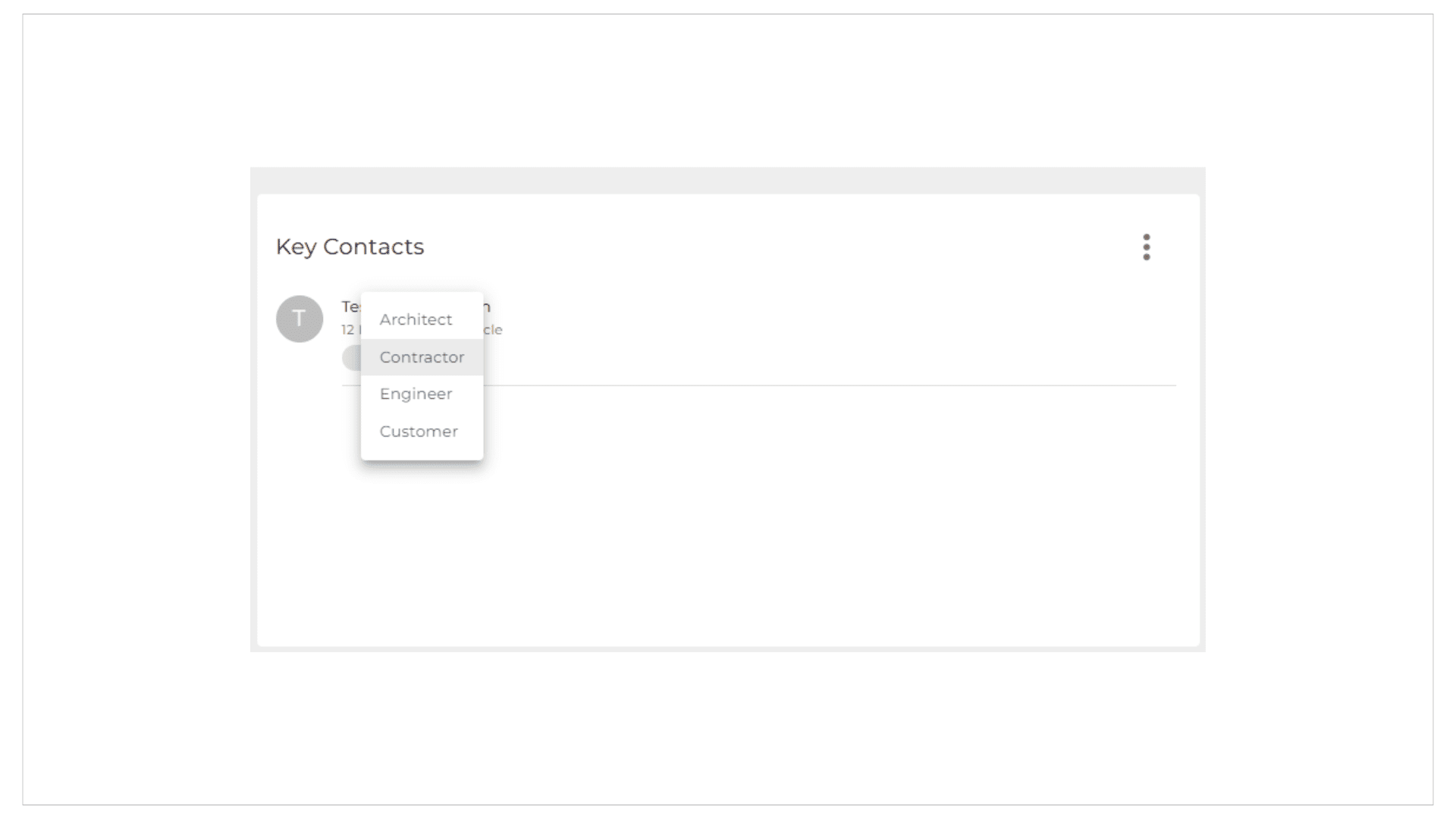
3. Flexible Discount Logic for Quotes
Managing discounts is now more flexible than ever with our updated logic.
- Dual Discount Acceptance: Our manufacturer discount logic has been enhanced to accept and process both a manufacturer discount and a customer discount simultaneously. This gives you greater control and flexibility in managing project-specific pricing.
To learn more about this feature or to discuss how you can utilize it, please contact your customer success representative.