AutoQuote’s Power Surge: New Features for Faster Quoting, Seamless Email Integration, and Team Collaboration.
Project auto creation has been a hit, and we’re not slowing down! We’ve been continuously working on maximizing efficiency and expanding functionalities. Get ready to see what’s landing in Autoquote today!
This release delivers massive efficiency gains by expanding project auto creation to include emails and attachments, eliminating manual data entry. We’ve introduced essential quoting features like full tax support and product configurator suffixes, and added internal, searchable notes to keep your team aligned and quoting faster than ever.
Quote with Confidence: Full Tax Support is Here.
We understand that sending out comprehensive quotes requires accuracy. You can now effortlessly add taxes alongside extra charges and quote-level discounts using the charge/discount option on Quote Edit.
How to use it:
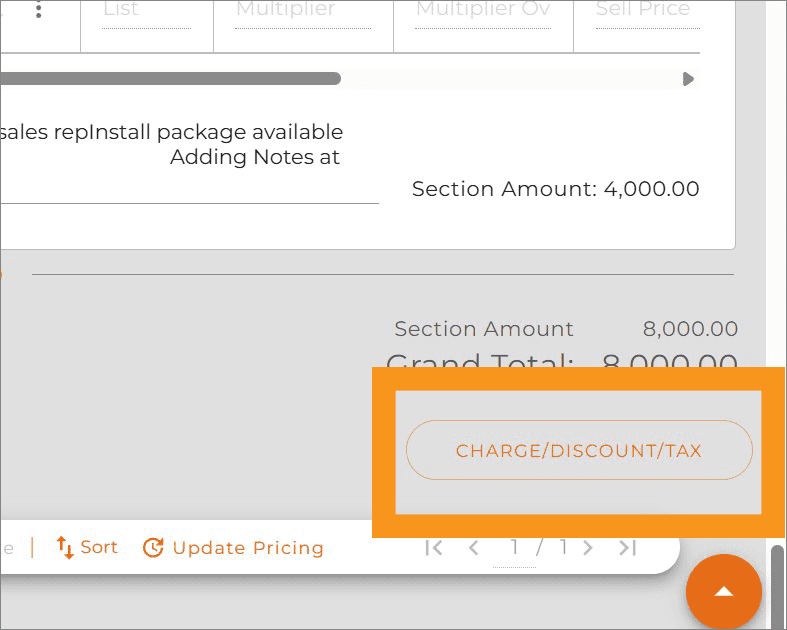
- On the Quote Edit page, scroll down to the end of Product List, click on the Charge/discount/Tax button
- Click on the Tax radio button, add label, tax in percentage and click the “+” button
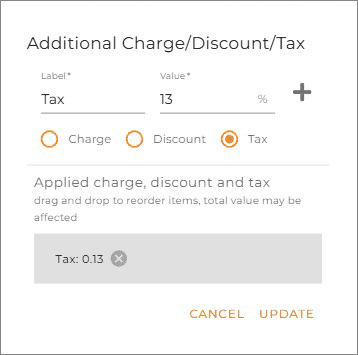
- Click on the Update button.
Note: the tax will be applied after any extra charge and discounts applied.
No More Guesswork: Suffixes for Manufacturer Configurators.
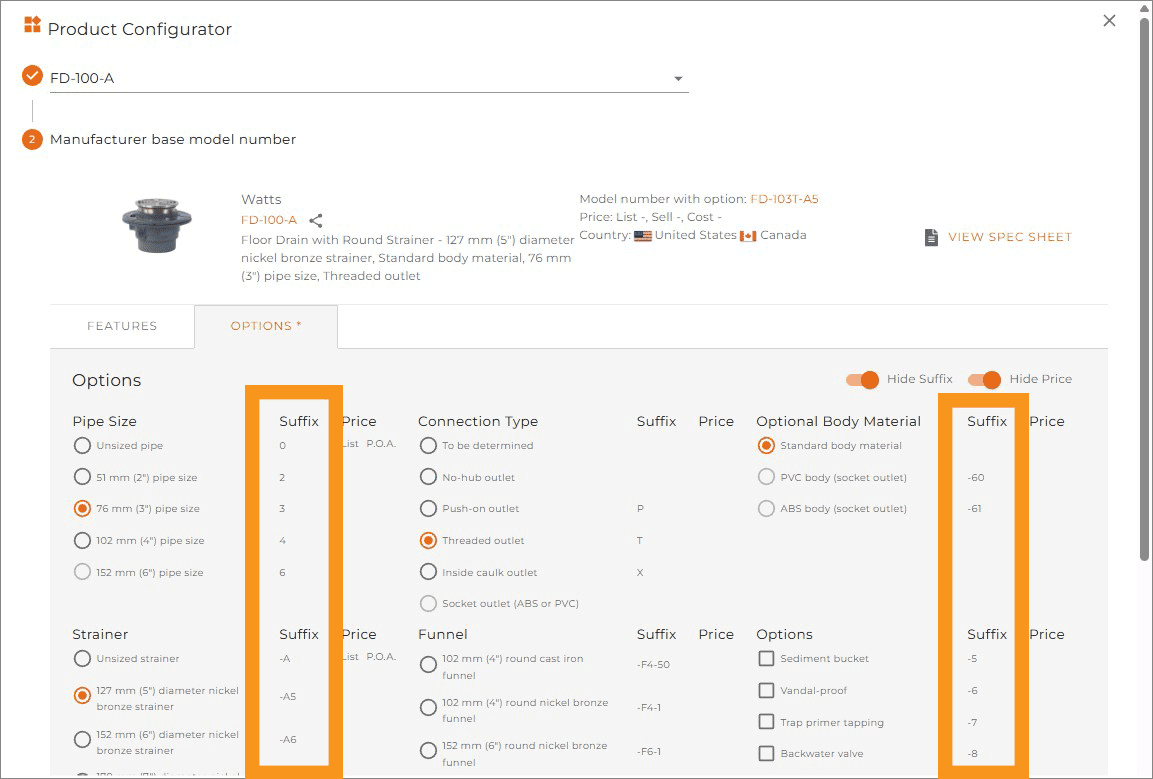
The long-requested suffix feature for the product configurator is finally available! You no longer need to guess which option to choose in order to get the right part number.
Keep Your Team in the Loop: Internal Notes on Contact Cards.
Boost team efficiency and reduce knowledge gaps! A new searchable Internal Note column is added to the contact card, visible only to your organization. Easily record vital information specific to this contact, such as discount, special terms, communication restraints, etc.
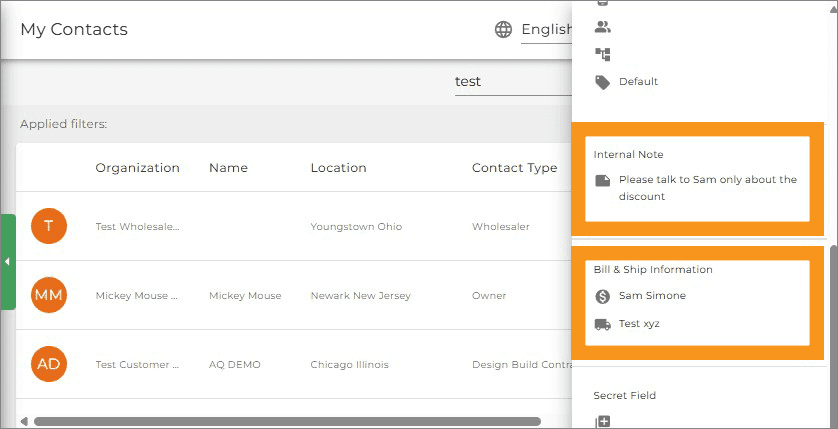
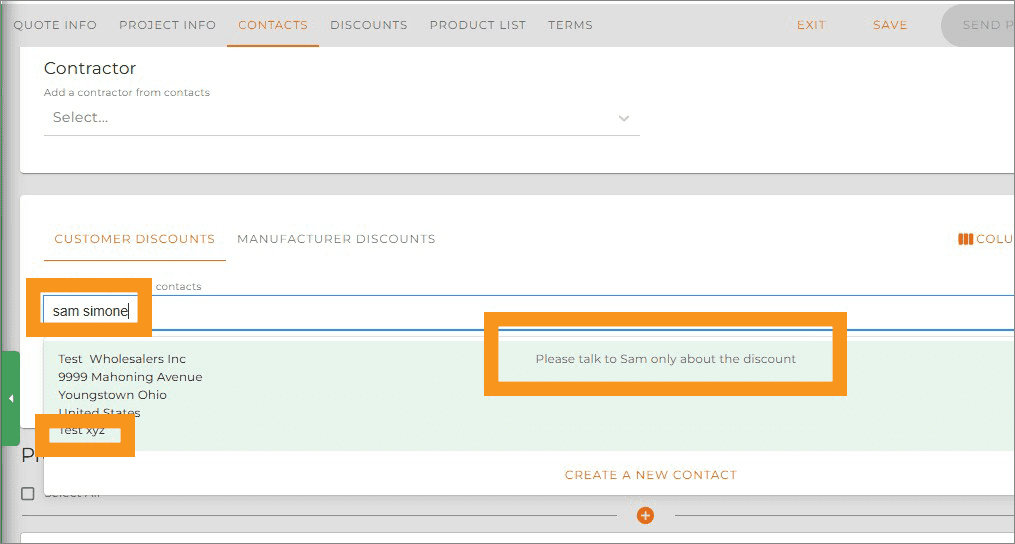
In addition when searching for a customer to add to a quote contact you can search by “ Bill To” field and review internal notes and “Ship To” information.
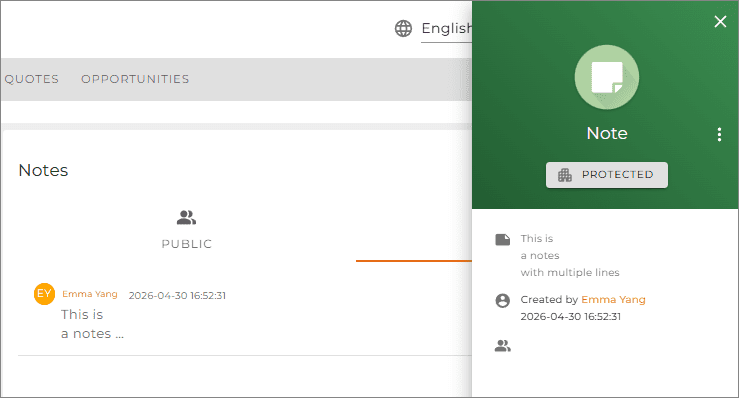
Consistency Improved: Project Notes Maintain Consistent Formatting
Now the project notes keep the same formatting in edit, detail and widget modes.
Ready to dive in? Log in now to explore these new features, or reach out to our support team if you have questions about setting up your new rounding preferences or admin permissions!